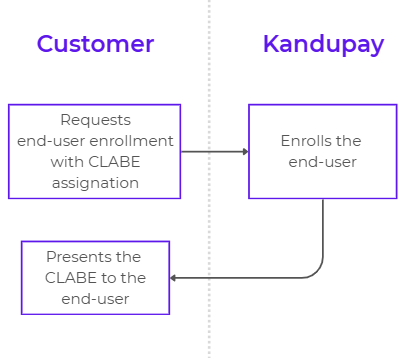
Web Integration / SPEI-IN
KanduPay Gateway provides a simple, yet powerful, way to allow your end-users to credit funds to their account via SPEI within your business in a very simple UI integration.
Following, you will find the ideal flow in three simple steps on how to present the User Interface this interaction.
Enable a Button to Add Funds in your Interface
Add a button in your interface that allows the user to start the flow.

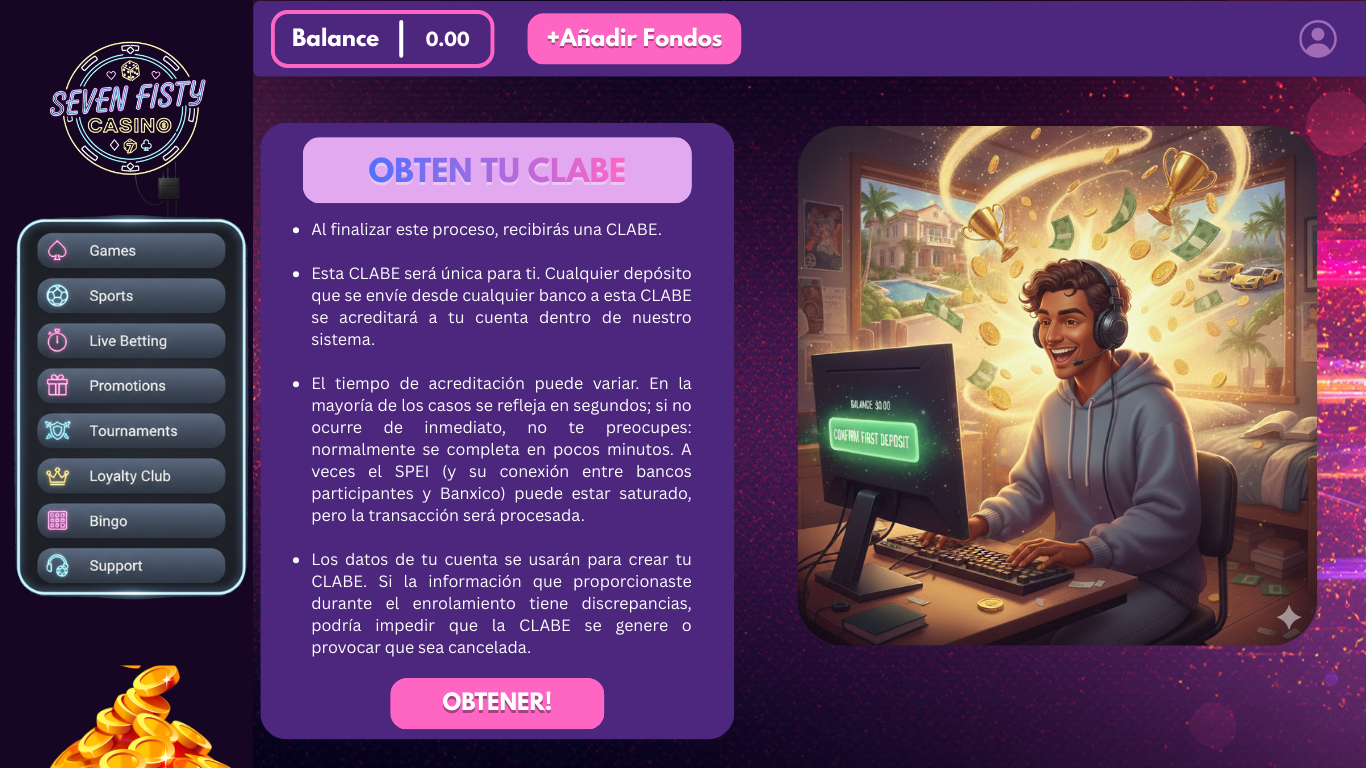
Instruct your End-User
Provide clear instructions to your end user on what's about to happen. The basic idea is to acknowledge your end-user that:
- A CLABE account number will be given to him/her at the end of the flow.
- This CLABE account is unique to him/her so any deposit sent from any Bank to this CLABE will be credited to his/her account within your system.
- The elapsed time may vary but most of the times might take only a few seconds to be credited, in case of the opposite, rest assure it will happen within minutes, as sometimes the interconnection between the participant banks of the SPEI system and BANXICO might be a little saturated but indeed the transaction will happen.
- Advise your customer that the information provided by him during your enrollment process will be used to create the CLABE account number, any discrepancies on the information provided might cause the CLABE to unable to be created or cancelled.
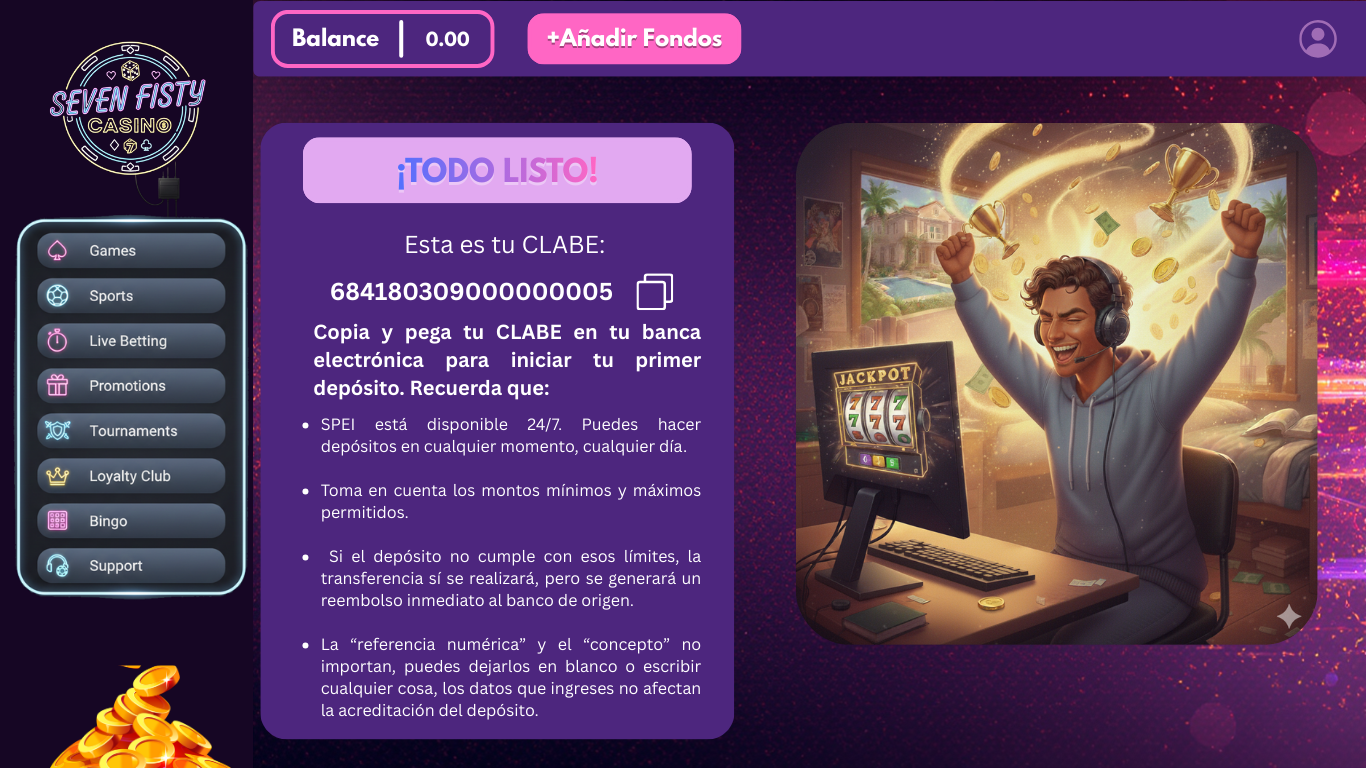
Present to your end-user the CLABE
After calling our endpoint retrieve the CLABE from the payload and present it to the user, invite him to perform his first deposit, remember to clearly transmit to your user:
- The SPEI system is available 24/7
- Any restrictions regarding the minimum and maximum amounts per deposit, don't forget to mention that if any threshold is violated, the deposit will go through but then an instant refund will be performed.
- Let him know that "referencia numérica" and "concept" are irrelevant.
Behind the Scenes